


How To Use CRANE
Ready to assess the impact of climate technologies?
Click here if you are using the legacy CRANE tool? (until Dec 31, 2026)
Questions? Email us at info@cranetool.org
IF Using CRANE TIer on Koi.eco
STEP 1: CREATE YOUR FREE ACCOUNT
Go to koi.eco and choose Get Started. Follow the prompts to set your password, basic profile details, and verify your email address. Alternatively, you can also opt to sign up using a Google account or passkey from the same page.
Once your email is verified, Koi automatically creates an organization for you (you can rename it and add colleagues later).
If you already have a Koi account for other purposes, simply log in with that account and navigate to the CRANE Tier.
Note: All existing CRANE users will need to create a new account to use the CRANE Tier on Koi. Your previous CRANE login credentials will not work on Koi because they use separate authentication systems.
STEP 2: START MODELLING EMISSIONS IMPACT
Create a collection, browse data, and save your climate solution to kick off your first emissions impact assessment on Koi.
Find more tips for getting started at docs.koi.eco, including more FAQs, use‑cases, and methodology pages. Request a demo or ask questions by emailing hello@koi.eco.
STEP 3: BRING YOUR EXISTING MODELS OVER TO KOI
Transfer your CRANE model to Koi by entering the same data points into an existing and unlocked Koi model using edit mode.
Because Koi’s Engine can rapidly generate models from a brief description, rebuilding an existing CRANE model is often quick.
If you need additional support, please contact info@cranetool.org.
If Using the LEGACY CRANE Tool:
Head’s up: The standalone CRANE tool will be unavailable after Dec. 31, 2026. You can continue using the tool until then, but we recommend creating a Koi account to continue using CRANE as soon as possible.
Step 1. Get starteD
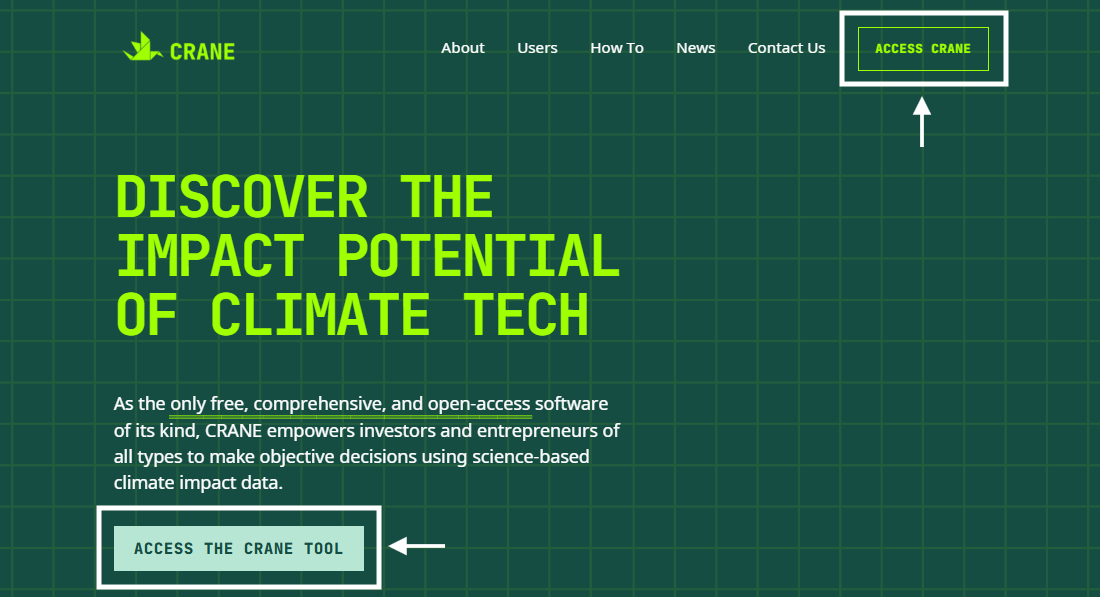
Log in at app.cranetool.org.
Select “Access CRANE” if you already have an account. After logging in, click “Impact Assessment” on the menu on the left.
Step 2. Find your technology
Choose from 200+ CRANE technology models.
Search for a technology using keywords, browse our technology list, access your previously saved assessments from “My Solutions” or upload a .json file. You can also create a model from scratch using the Blank Template feature.

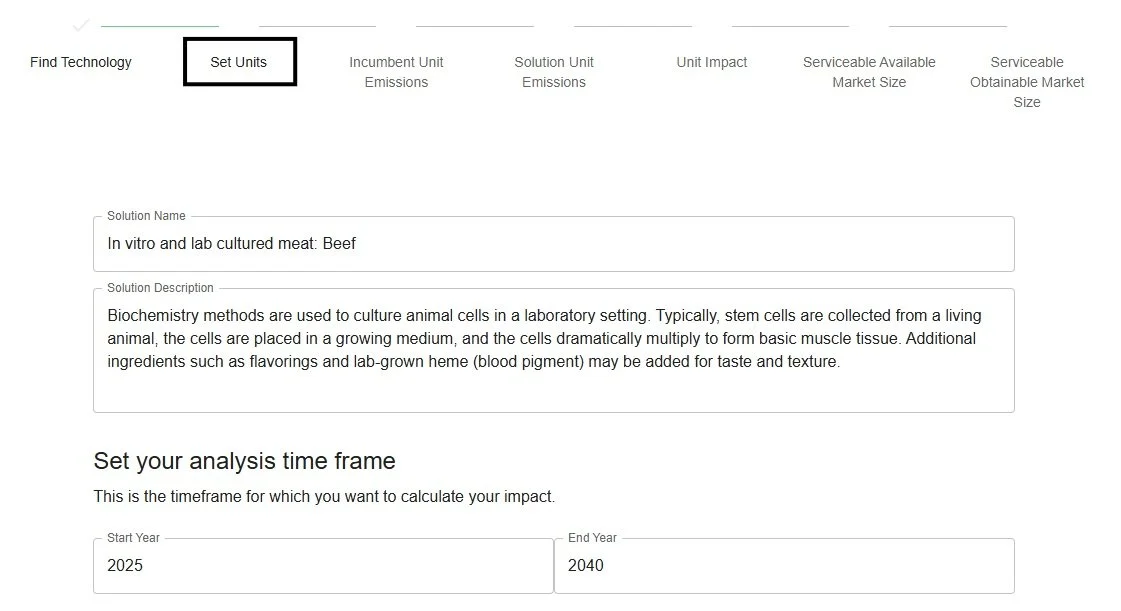
Step 3. Set units
Customize your timeframe, sales units, and incumbent market data.
Select the timeframe for your impact calculation, your sales unit, and the status quo market your solution is displacing. You can also skip directly to our default results at the bottom of this page.
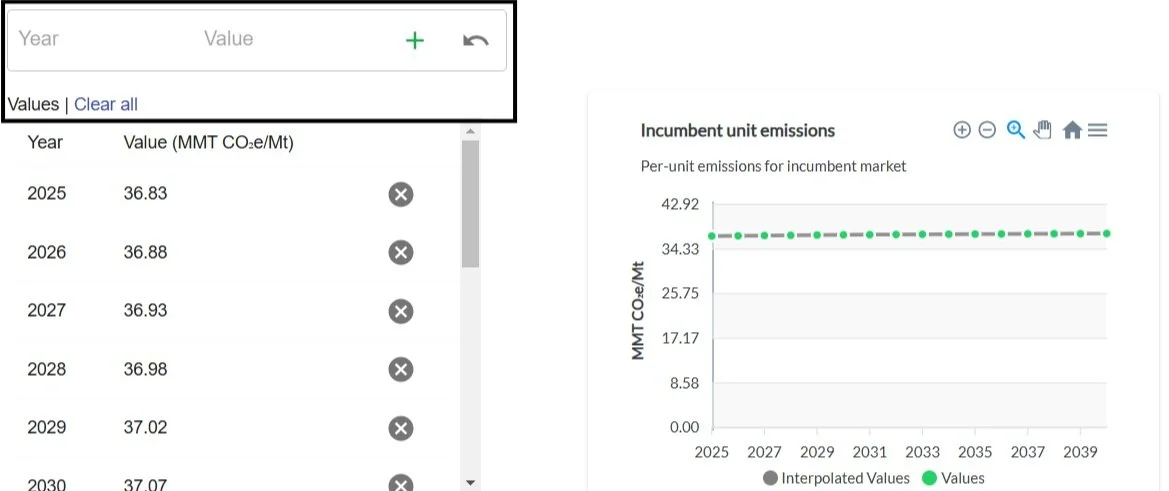
Step 4. Incumbent unit emissions
Control your status quo emissions data.
Review or modify the emissions data per sales unit and incumbent market selected in step 3. Use our default data or edit it if you have your own dataset.
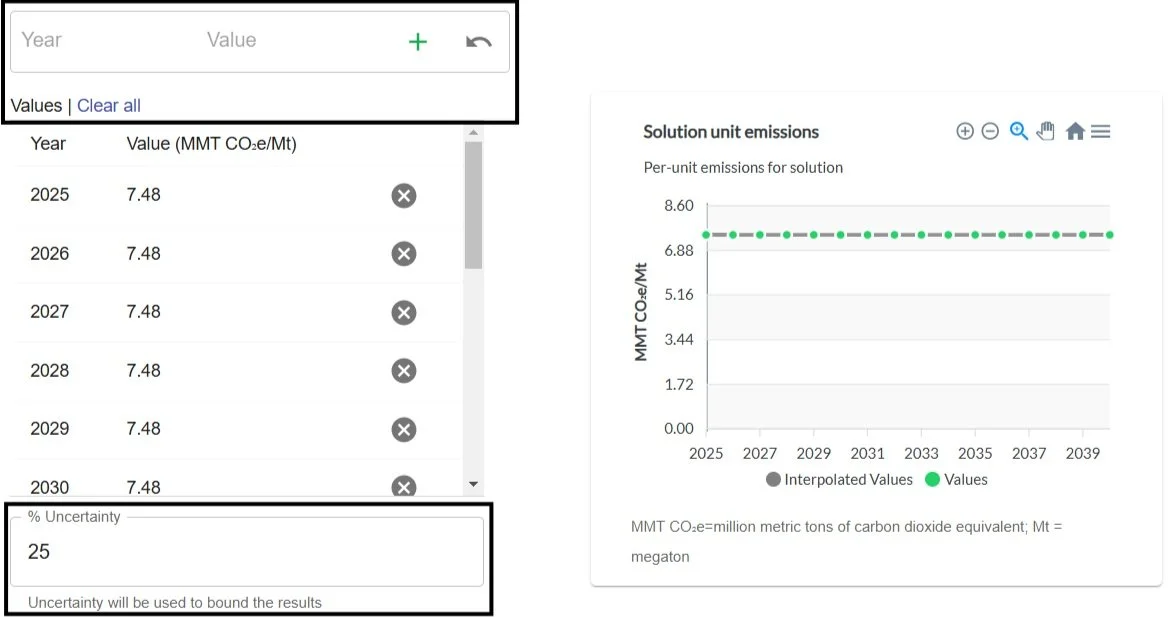
Step 5. Solution unit emissions
Control your solution emissions data.
Review or modify the emissions per sales unit for your solution, based on CRANE’s backend data, Life Cycle Assessment (LCA), or another resource.
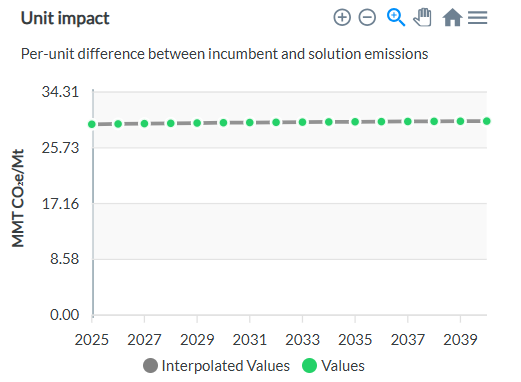
Step 6: unit impact
Review your automatically generated unit impact.
The unit impact is the difference in emissions of the incumbent market and your solution per unit sales.
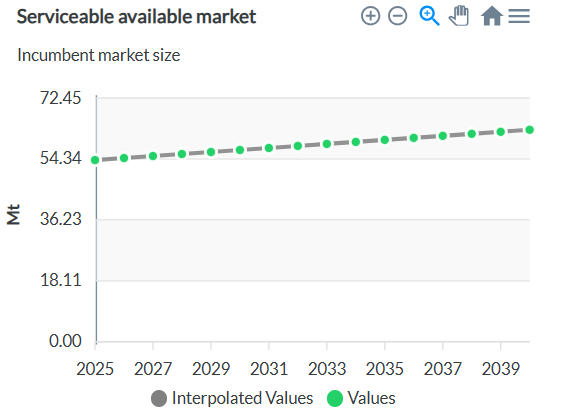
Step 7. Serviceable available market (SAM)
Control your incumbent market data.
Review or modify the SAM, which represents a realistic portion of your incumbent solution’s total addressable market (TAM).
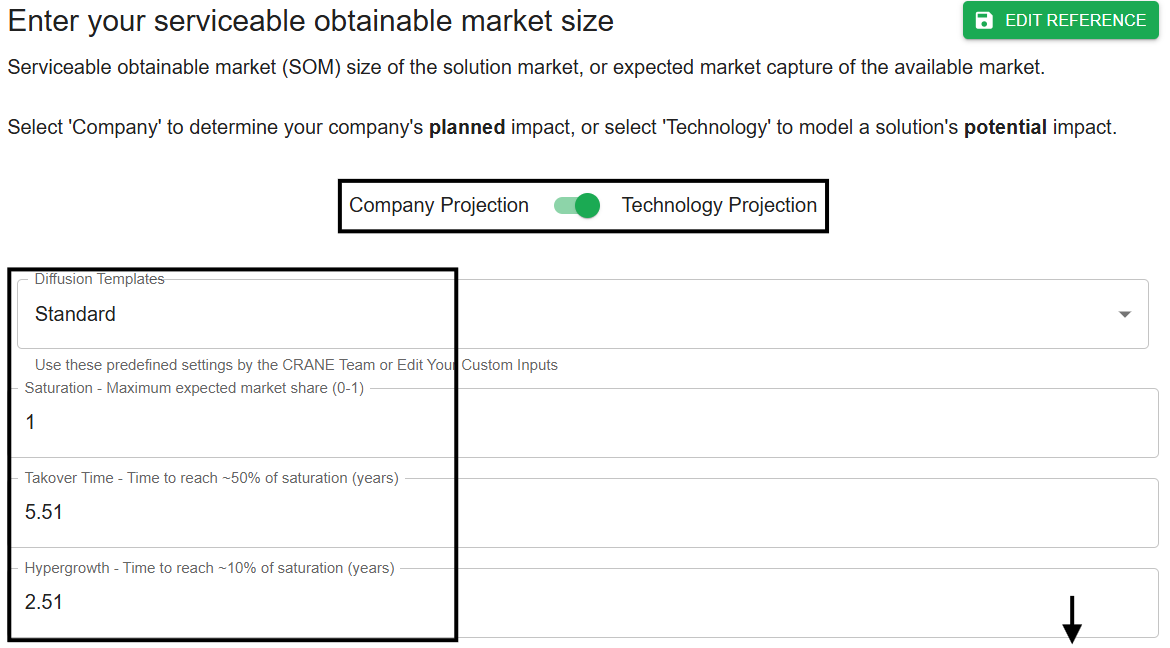
Step 8. Serviceable obtainable market (SOM)
Control your solution’s market data.
Assess planned (company-level) or potential (technology-level) impact. Control your S-curve parameters (e.g., market saturation), and determine your solution’s SOM (or expected market capture of your SAM).
Step 9. Run your report
Vew and save your impact assessment.
Access an overview of your solution’s unit, annual, and cumulative impacts, market data, and references, and export your report in various formats.

Disclaimer: CRANE’s output reports are a helpful starting place for evaluating climate impact as a part of diligence, reporting, or discussion. While CRANE can not predict the future, it provides valuable estimates to guide decisions on climate investments.
See how the CRANE Tier on Koi can help you assess climate impact